Sign in with your company's own identity provider
If your company already runs an identity provider, your team can now sign in to Oiva with it. That's one less password for everyone to pick, and one less account to remember to close — when somebody leaves and you revoke their company account, their access here goes with it.
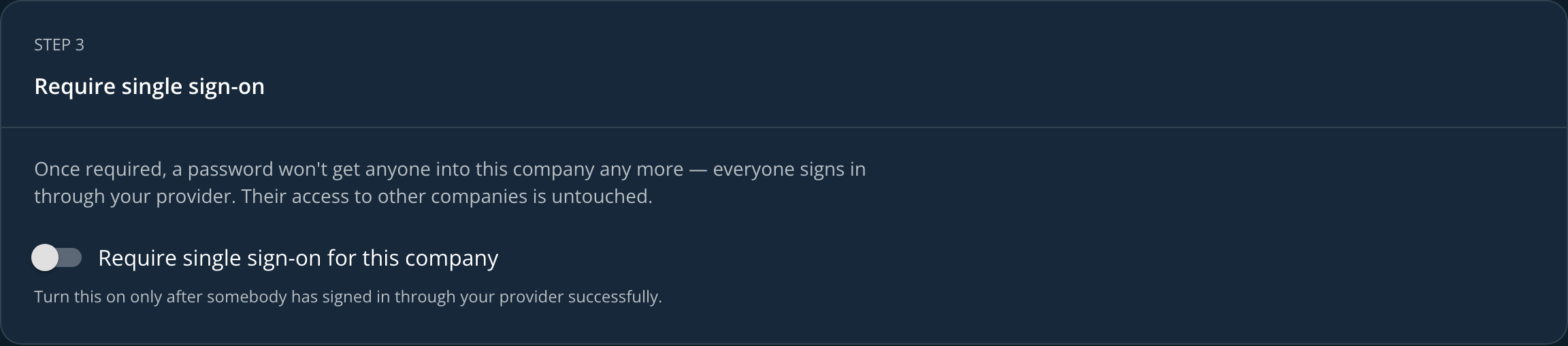
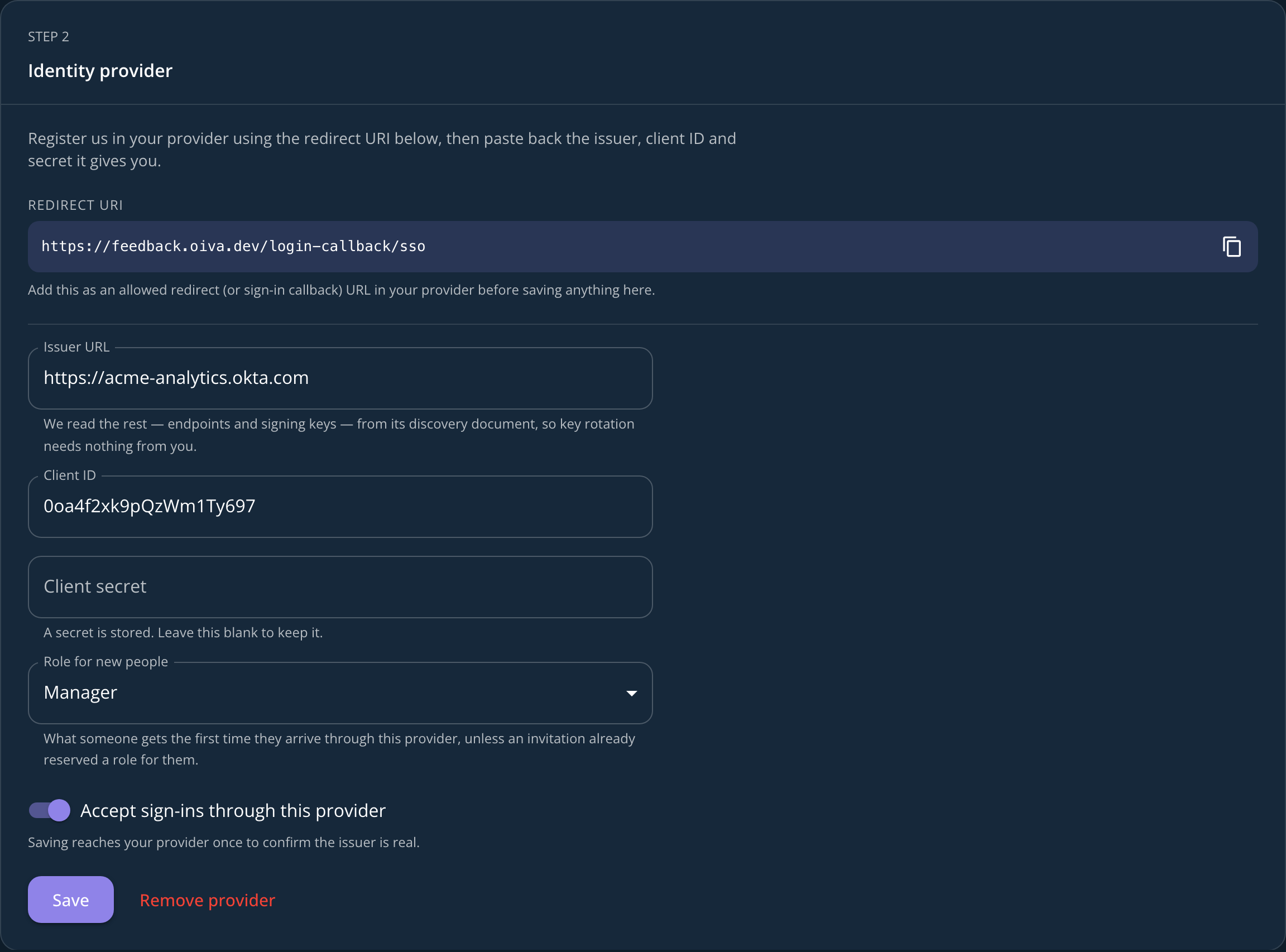
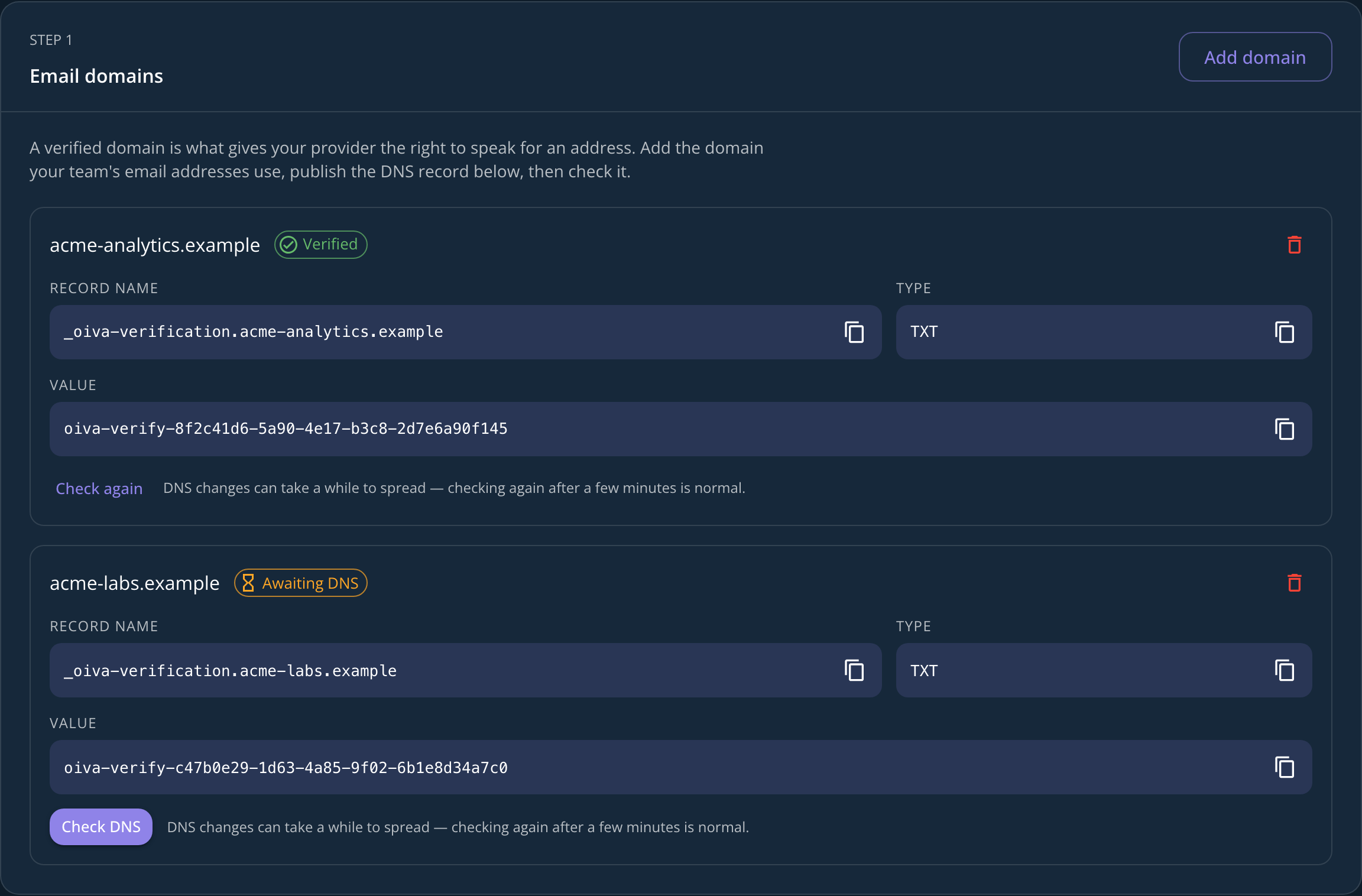
It's yours to set up, in the app. Any company admin will find it under Profile → Single sign-on: prove you own the email domain your team uses, point us at your provider, and once you've watched somebody sign in through it, require it for everyone. There's nothing to email us about and no call to book.
Whoever arrives through your provider for the first time gets an account automatically, with the role you set as the default — or the one you'd already reserved for them, if you invited them beforehand. Requiring single sign-on applies to that one company: if someone also belongs to another company here, their access to it doesn't change.
The manual has the whole walkthrough, including the DNS record to publish and what to do if whoever signed your company up used a personal address.