One question at a time, and a survey that fills the screen
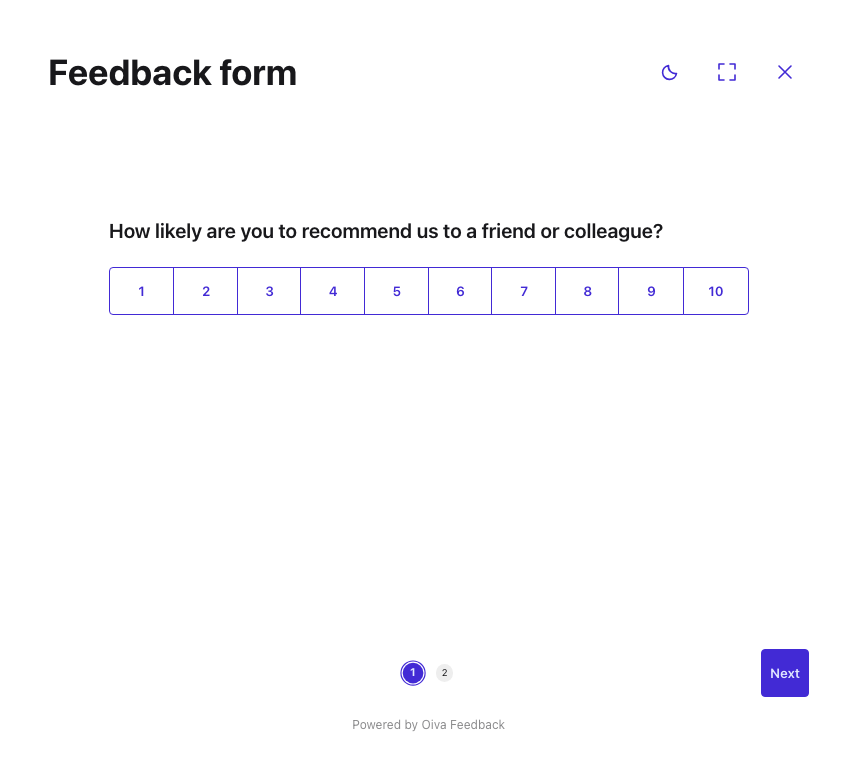
A long form is fine when someone chose to sit down and fill it in. It's less fine on a screen someone walks past. On-site surveys now have a few options aimed at exactly that.
Set Steps display to "One field per screen" and visitors get one question at a time, with a Next button and a progress indicator. You still build the survey the same way — group fields into steps as usual, and the survey flattens them for display. You can put the indicator in the footer or down the right-hand side, as numbers or as plain dots.
Turn on "Allow full screen" and the survey gets an expand button that fills the whole screen, plus a close button. Point Close redirect URL at wherever the device should go when someone taps close — your own site, usually.
And with "Let visitors switch light/dark theme", the survey shows a small sun/moon button. Visitors still land on whichever appearance you configured; the button just lets them change it for themselves, for that visit.
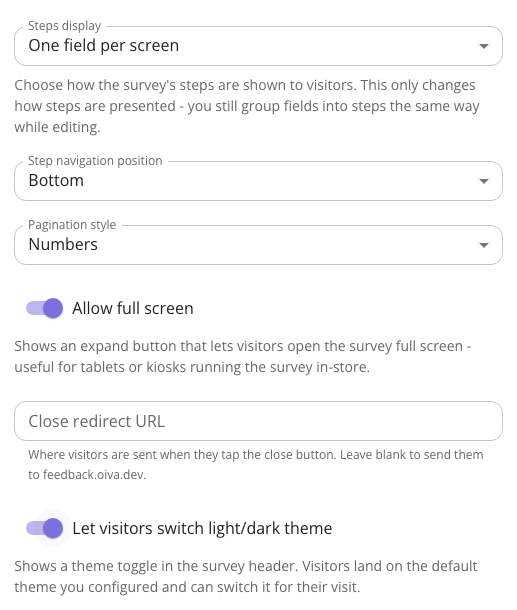
All of it lives on the survey's Settings tab. The manual walks through each option in more detail.